





TEAM 512GB 2.5″ SATA III Internal Solid State Drive (SSD)
February 20, 2025
TEAM 2TB 2.5″ SSD – Reliable & Fast Internal Storage Drive
February 20, 2025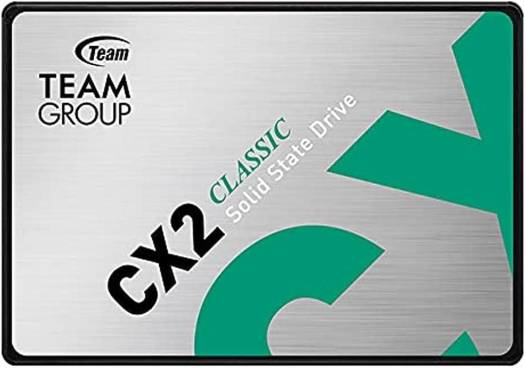
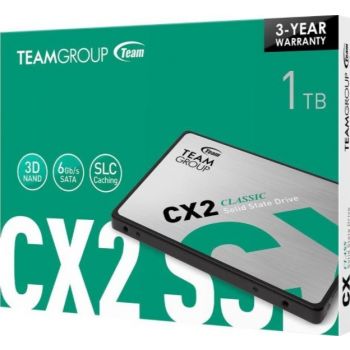
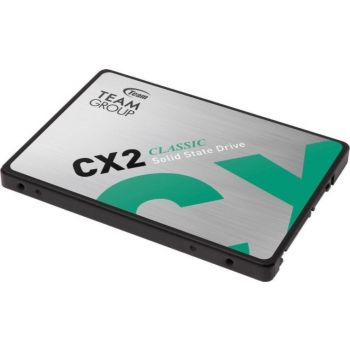
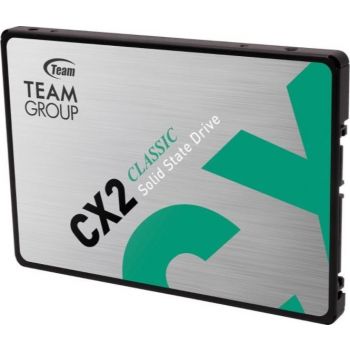
TEAM 1TB 2.5-Inch High-Performance Internal SSD
The TEAM Group GX2 1TB 2.5-inch SSD is a high-capacity, budget-friendly solid-state drive designed for users who need ample storage for games, media, and applications while enjoying the speed and reliability of an SSD.
Original price was: 494.22 د.إ.445.50 د.إCurrent price is: 445.50 د.إ.
Key Features:
- Capacity: 1TB
- Form Factor: 2.5-inch (fits standard laptop and desktop drive bays)
- Interface: SATA III (6 Gb/s)
- Sequential Read Speeds: Up to 550 MB/s
- Sequential Write Speeds: Up to 500 MB/s
- NAND Flash Type: 3D NAND
- Endurance: Designed for typical consumer workloads (no specific TBW rating provided, but higher capacity SSDs generally have better endurance)
- Warranty: Typically comes with a 3-year limited warranty
Use Cases:
- General Use: Faster boot times, quicker file transfers, and improved system responsiveness.
- Upgrading Older Systems: Ideal for replacing slower HDDs in older laptops or desktops.
- Gaming: Store a large library of games with faster load times.
- Content Creation: Suitable for moderate workloads like photo editing, video editing, and graphic design.
- Media Storage: Great for storing large media files like videos, music, and photos.
Pros:
- High Capacity: 1TB provides plenty of space for games, applications, and media files.
- Affordable: Offers excellent value for the capacity and performance.
- Easy Installation: Fits into standard 2.5-inch drive bays, making it compatible with most laptops and desktops.
- Energy Efficient: Low power consumption, which is great for laptops.
- Reliable: No moving parts, making it more durable than traditional HDDs.
Compatibility:
- Operating Systems: Compatible with Windows, macOS, and Linux.
- Devices: Works with any system that supports 2.5-inch SATA drives (laptops, desktops, and some external enclosures).
Installation:
- Power Off: Turn off your system and unplug it.
- Open Case: Access the internal components of your PC or laptop.
- Locate Drive Bay: Find the 2.5-inch drive bay (or use a 3.5-inch adapter for desktops).
- Connect Cables: Attach the SATA data cable to the motherboard and the SATA power cable from the power supply.
- Secure SSD: Mount the SSD in the drive bay using screws.
- Boot Up: Power on your system and initialize the SSD through your operating system.
| brand |
|---|
Related products
-
Samsung 1TB 980 PCIe 3.0 NVMe SSD M.2(2280)R:3500MB/s,W:3000MB/s
Original price was: 512.33 د.إ.389.57 د.إCurrent price is: 389.57 د.إ.Take your storage and performance to the next level with the Samsung 1TB 980 PCIe 3.0 NVMe SSD. Designed for users who need both speed and capacity, this SSD delivers exceptional performance for gaming, content creation, and everyday computing. With its compact M.2 form factor and advanced V-NAND technology, the Samsung 980 is the perfect upgrade for your PC or laptop.
-
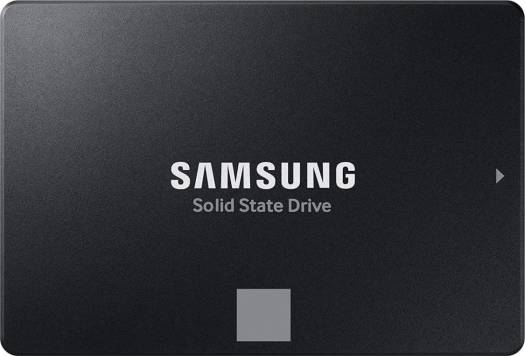
Samsung 4TB 870 EVO SATA III 2.5″ Internal SSD-560/530MB
Original price was: 1,409.11 د.إ.1,364.18 د.إCurrent price is: 1,364.18 د.إ.The Samsung 4TB 870 EVO SATA III 2.5″ Internal SSD delivers high-capacity storage with blazing-fast speeds of up to 560 MB/s read and 530 MB/s write. Built with Samsung’s V-NAND technology, it offers exceptional reliability, endurance, and a 5-year warranty, making it perfect for gaming, content creation, or general computing. Its 2.5-inch form factor ensures compatibility with most desktops and laptops, providing a seamless upgrade for your storage needs.
-
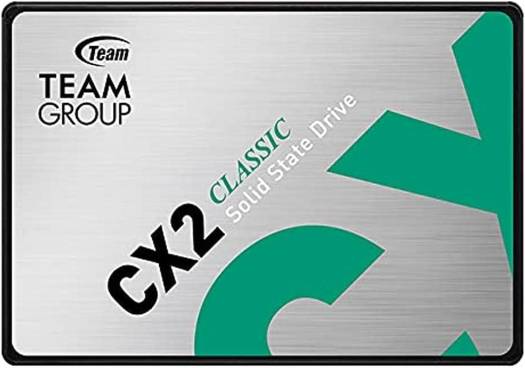
TEAM 2TB 2.5″ SSD – Reliable & Fast Internal Storage Drive
Original price was: 548.12 د.إ.534.60 د.إCurrent price is: 534.60 د.إ.The TEAM Group 2TB 2.5-inch SSD is a solid-state drive designed for users who need high-capacity storage with reliable performance. TEAM Group is a well-known manufacturer of storage and memory products, offering affordable yet dependable SSDs.


Reviews
There are no reviews yet.